Documents, chapters & versions
One set of sources. As many drafts and directions as you need.
Your sources. Your choice of AI.
Turn your sources into clear, convincing documents in your cloud workspace. Work with the AI you prefer. Keep the final say.
More model choices, including Gemini through Copilot.
Your workspace in your browser. No installation required.
Your workspace in the cloud
Claims linked to their sources
Familiar files in VS Code
Write it your way.
One set of sources. As many drafts and directions as you need.
Bring pieces together. Break them apart. Make every section fit.
Sources and results in one view. Compare without losing your place.
Edit by hand, with AI, or both. You decide what changes.
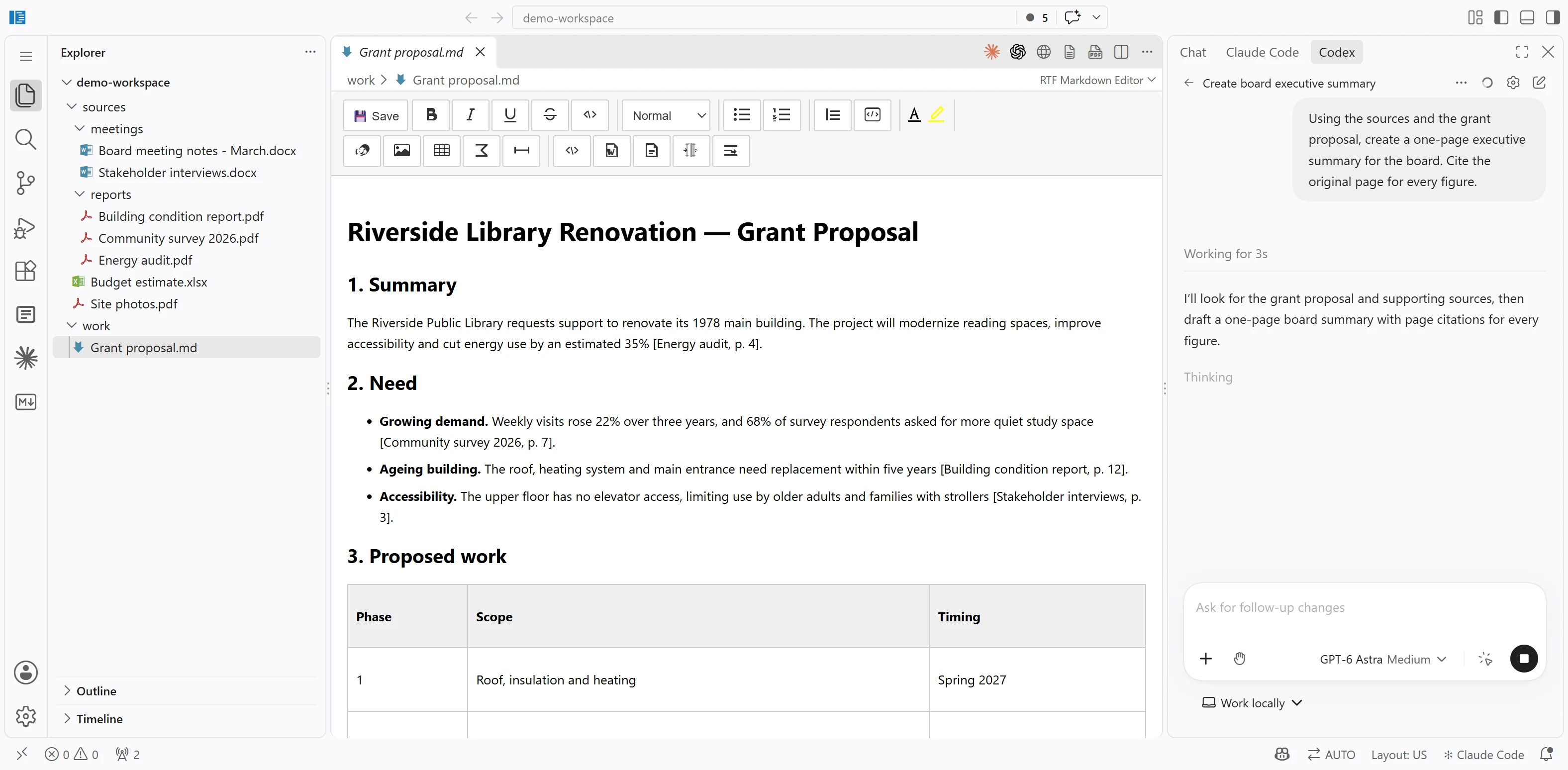
Sources, document and AI. Side by side.
Browse your material on the left, write in the middle, and ask your AI on the right.
Writing you can stand behind
Trace claims to the originals. Check before you share.
You review every change. Your documents and drafts stay in your own workspace.
From scattered sources to a polished result, with guidance along the way.
Your assistant. Your model. The choice stays yours.
From a folder of material to a finished document
Sign in to your cloud workspace and start a project.
Add documents, notes and scans. EditorLM makes them ready to search.
Choose your AI. Plan, write and refine together.
Check against the originals. Export a document ready to share.
Medical documents.Smart preparation for committees.
Turn a stack of medical records into a clear, referenced case file — with your chosen AI.
Open your workspace. Start writing.
EditorLM runs in your browser. Sign in with an approved account; there is nothing to install on your computer.
Connect to Codex, Claude Code or GitHub Copilot with your own account. Project files and the search index are stored in your personal cloud workspace on Azure.
Sign in to your cloud workspace and add your material to get started.